In this post, we will visualize all import loops in the PyTorch codebase, propose a fix for one potentially unstable case, and use Codegen to refactor that fix.
You can find the complete jupyter notebook in our examples repository.
Import loops (or circular dependencies) occur when two or more Python modules depend on each other, creating a cycle. For example:
While Python can handle some import cycles through its import machinery, they can lead to runtime errors, import deadlocks, or initialization order problems. Debugging import cycle errors can be a challenge, especially when they occur in large codebases. However, Codegen allows us to identify these loops through our visualization tools and fix them very deterministically and at scale.

Import loop in pytorch/torchgen/model.py

Visualize Import Loops in PyTorch

Using Codegen, we discovered several import cycles in PyTorch’s codebase. The code to gather and visualize these loops is as follows:
Here is one example visualized ⤵️

Import loops in pytorch/torchgen/model.py
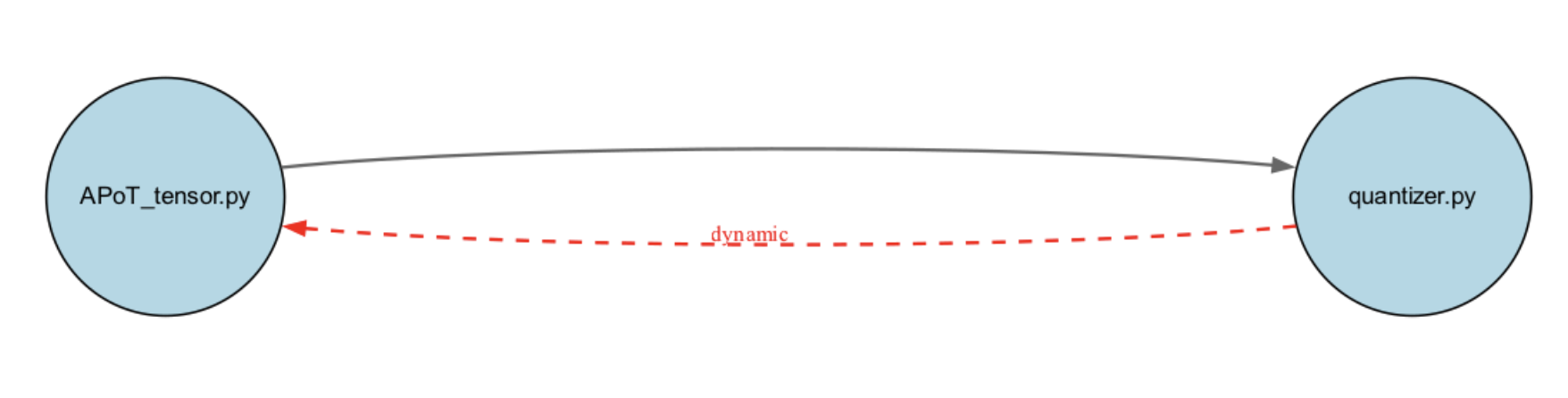
Not all import cycles are problematic! Some cycles using dynamic imports can work perfectly fine:
Valid import loop example
PyTorch prevents most circular import issues through dynamic imports which can be seen through the import_symbol.is_dynamic property. If any edge in a strongly connected component is dynamic, runtime conflicts are typically resolved. However, we discovered an import loop worth investigating between flex_decoding.py and flex_attention.py: Invalid import loop example flex_decoding.py imports flex_attention.py twice — once dynamically and once at top-level. This mixed static/dynamic import pattern from the same module creates potential runtime instability. Thus, we propose the following refactoring using Codegen:
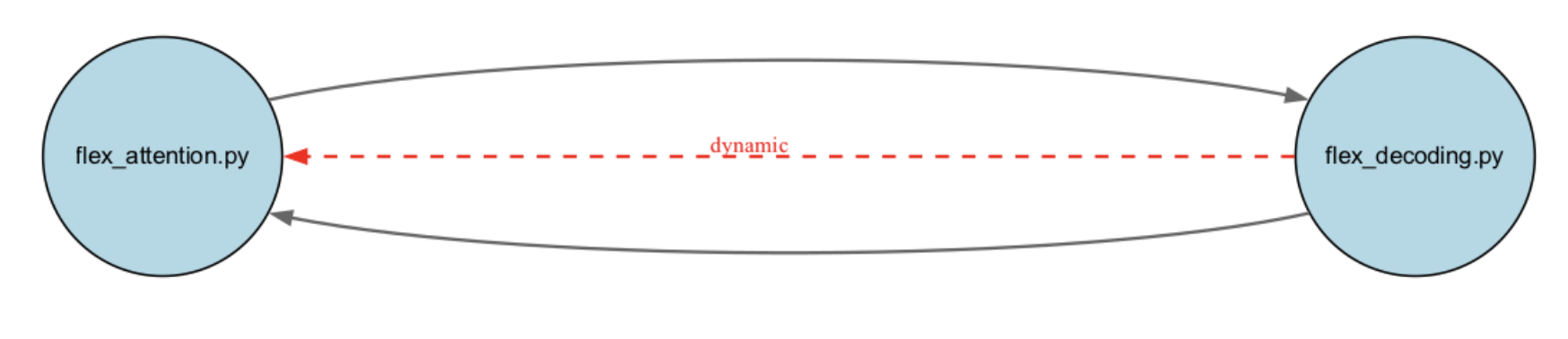
Move Shared Code to a Separate utils.py File

Running this codemod will move all the shared symbols to a separate utils.py as well as resolve the imports from both files to point to the newly created file solving this potential unpredictable error that could lead issues later on.

Conclusion

Import loops are a common challenge in large Python codebases. Using Codegen, no matter the repo size, you will gain some new insights into your codebase’s import structure and be able to perform deterministic manipulations saving developer hours and future runtime errors. Want to try it yourself? Check out our complete example of fixing import loops using Codegen.